Setting up your router for success: location is everything

When it comes to getting the best possible home Wi-Fi experience, choosing the right router is only half the battle. Setting it up in the right spot is just as important, and surprisingly, many people get this part wrong.
The good news? With a few simple placement strategies and an understanding of what interferes with Wi-Fi signals, you can dramatically improve your internet experience.
Where to place your router
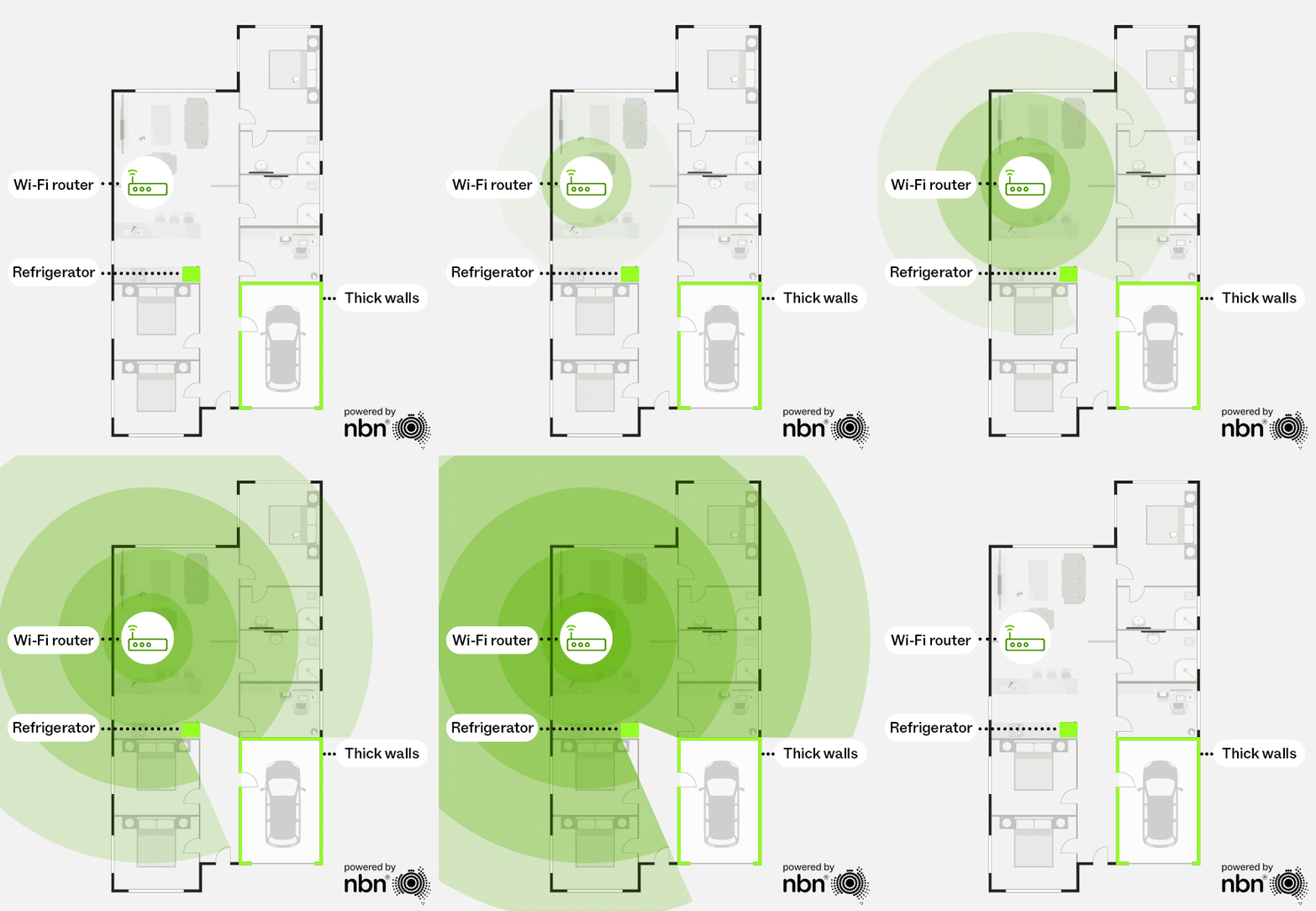
Location, location, location. As the heart of your home network, location affects everything connected to your router. For a better Wi-Fi experience, start by giving your router a prime spot in the house:
- Physically close: Place your router nearest to where most of your connected devices are used, preferably with a clear line of sight to your devices. The signal should pass through as few walls or objects as possible.
- Central and elevated: to help your signal reach more of your home evenly, minimise obstruction and improve the line of sight
- Out in the open: Avoid placing your router on the floor, behind furniture, or in a cabinet. Although it might not be your favourite piece, don’t hide it for aesthetics. Even hiding it behind plants or photos will impact your signal quality.
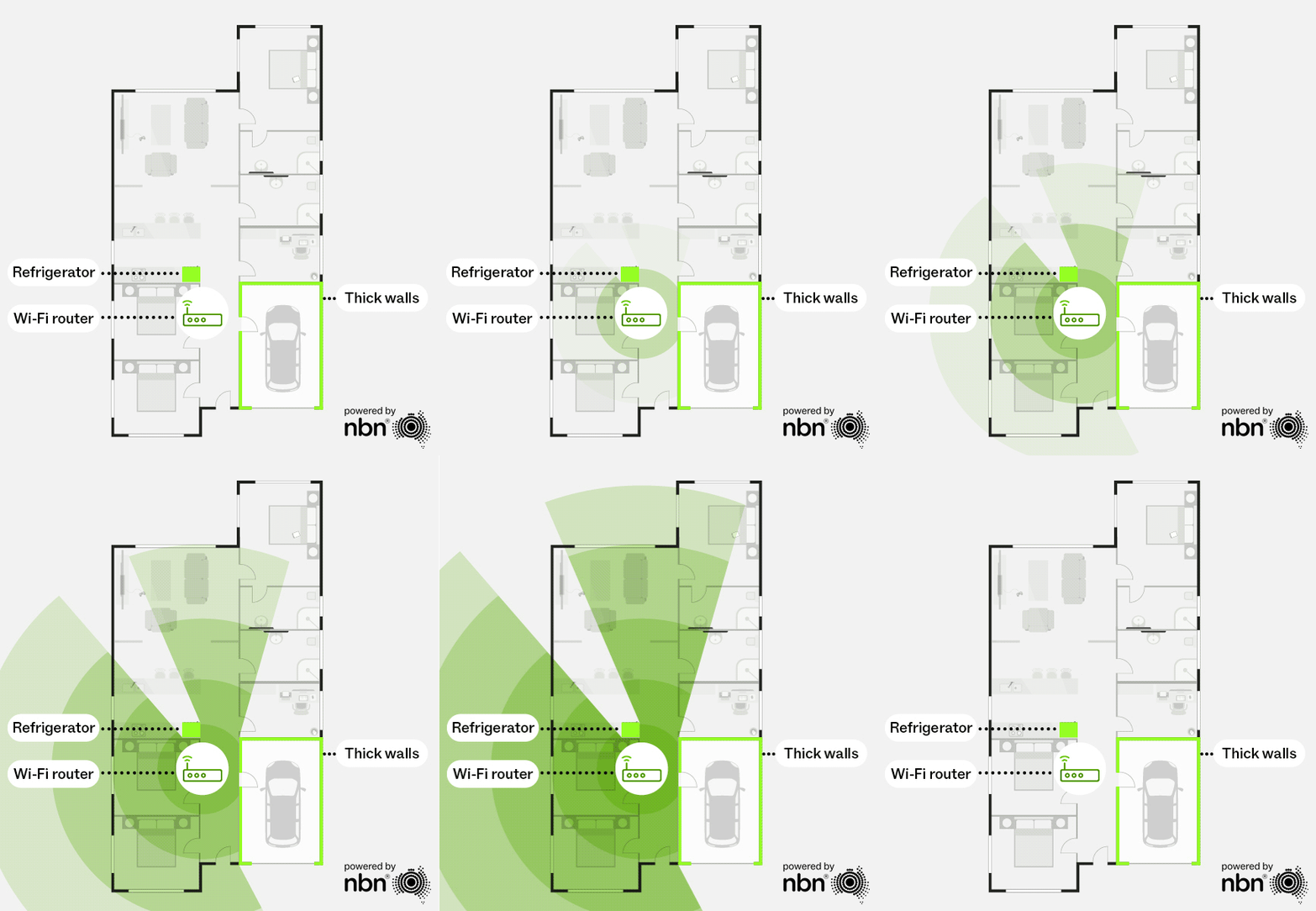
Original Wi-Fi router location
Source: nbn®
Optimal Wi-Fi router location
Source: nbn®
What’s messing with your Wi-Fi signal?
Although Wi-Fi might feel like magic, it isn’t, and many factors can impact your Wi-Fi strength and quality.
Try to avoid:
- Thick walls: Brick or concrete construction can significantly weaken your signal.
- Metal surfaces: Steel framing, filing cabinets, and even your fridge can act as a barrier, reflecting or absorbing electromagnetic waves, making it nearly impossible for your Wi-Fi signal to pass through.
- Large bodies of water: A nearby fish tank or hot water system can absorb Wi-Fi signals and create dead zones.
- Electronic Interference: From cordless phones to baby monitors, microwaves, Bluetooth speakers, and even some smart home hubs – electronic devices can interfere with your signal, especially on the 2.4GHz band.
Mesh router set-up tips: getting node positioning right
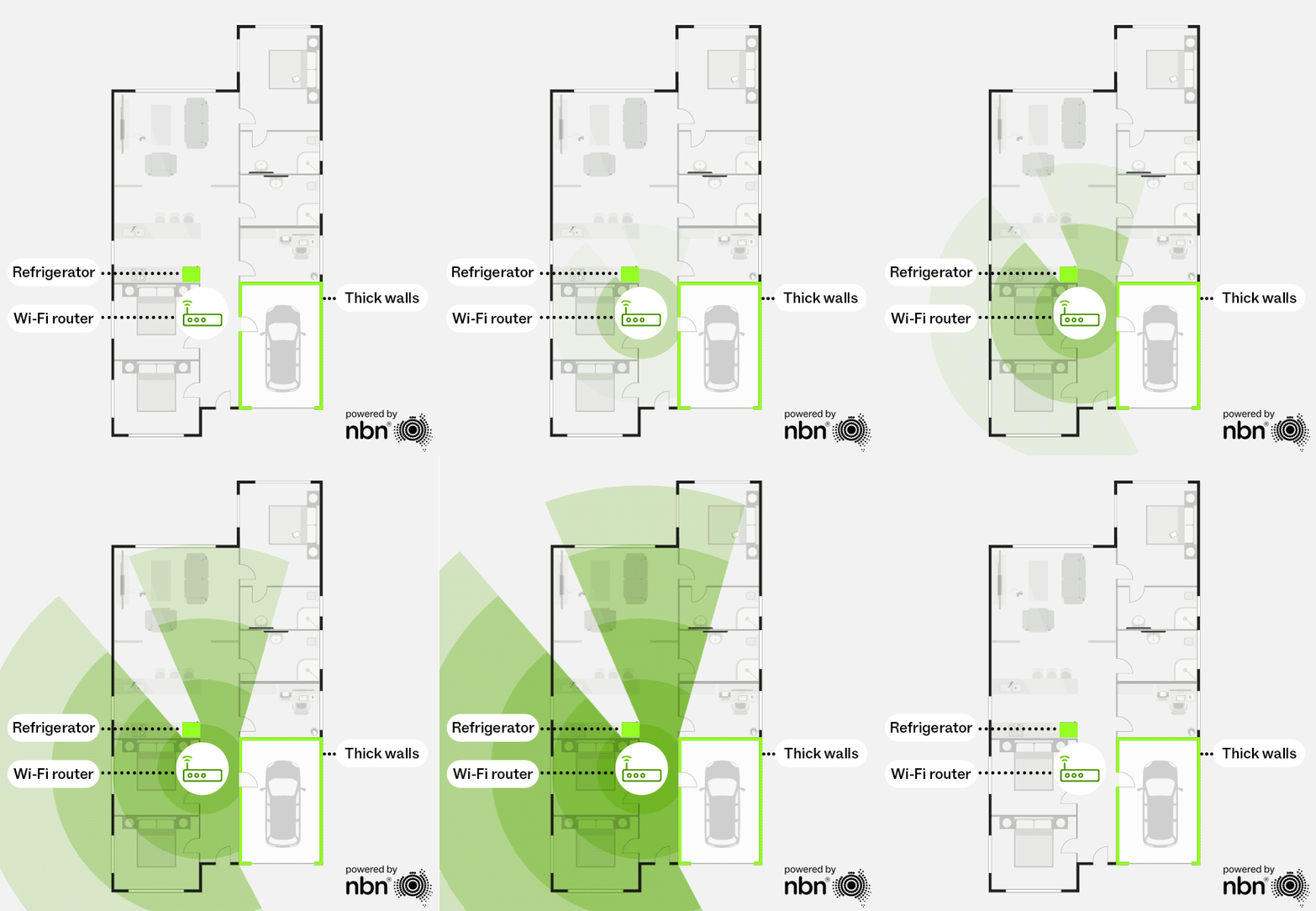
If you’re running mesh Wi-Fi, keep nodes close enough together to maintain a strong signal with the main router (or another upstream node). Preferably with a clear line of sight between the two nodes.
If the connection between nodes is weak, any devices connected through that downstream node will see slower speeds. Think of it like a relay race: a poor handoff between runners only slows the next runner down. In a mesh network, a weak “handoff” between nodes has the same effect.
Without a mesh network
With a mesh network
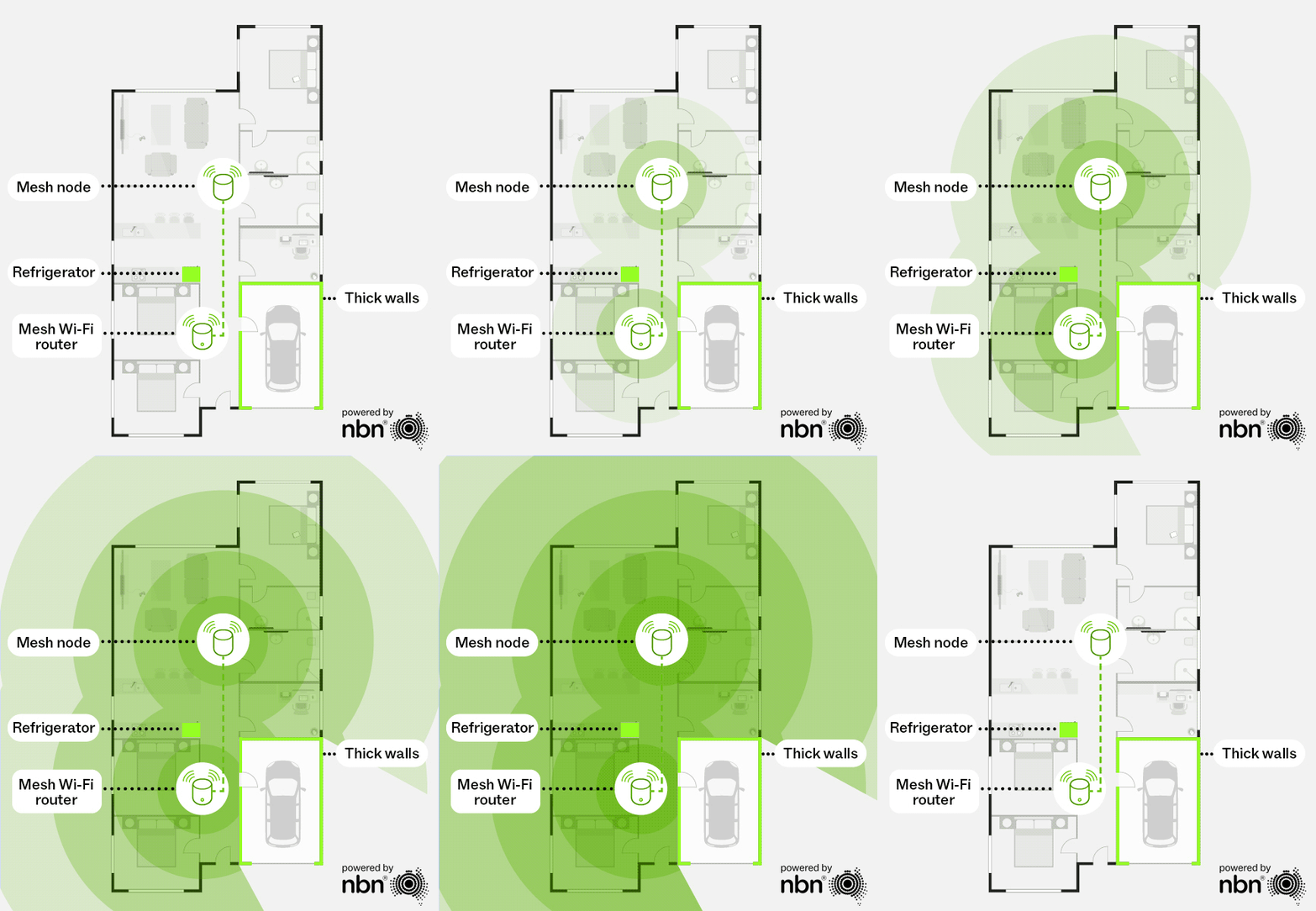
For even better performance, consider connecting each node directly to your router via an Ethernet cable for a faster, more reliable connection between nodes. This wired “backhaul” can significantly improve your mesh network’s performance.
The bottom line: A well-placed router or mesh set-up can dramatically improve your Wi-Fi experience.
If you have any questions about your router or mesh set-up, simply reach out to our Australian-based support team!