
Moving home? Relocate your internet with Leaptel in 5 steps
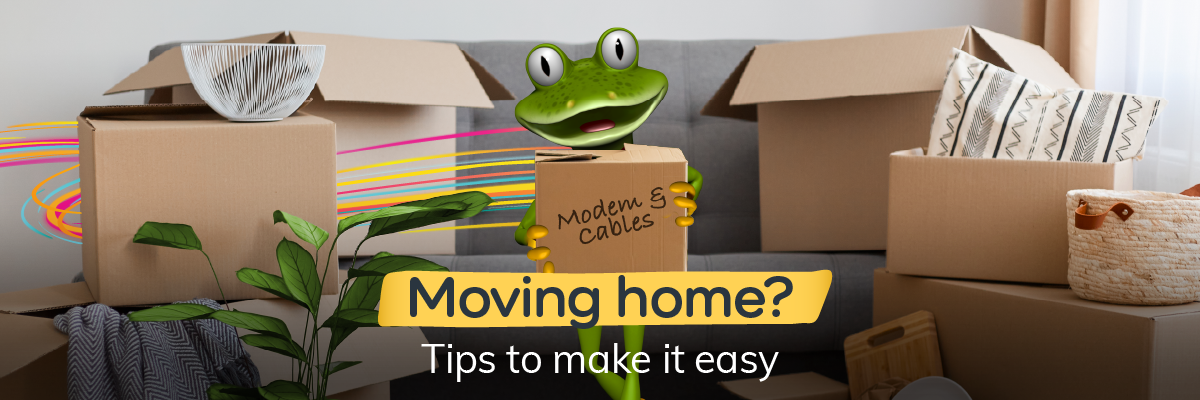
Moving home can be hard work, but moving your home internet doesn’t have to be.
At Leaptel, we’re here to take the hassle out of hooking up your internet, giving you one less thing to worry about on moving day.
Whether you’re taking your Leaptel service to a new address or moving home and switching to Leaptel, we’ve got you covered.
Here are 5 simple steps to help make your move a smooth one.
Step 1: Check your new address
First things first, check your address to find out what kind of internet is available at your soon-to-be home. You can do this by using the address checker on our website.
After searching your address, you’ll find out what kind of internet is available there, as well as the technology type you’ll be connected with.
If your address isn’t showing up, please contact us and our team will check what internet is available.
Step 2: Place your order
Now that you’re across what kind on internet is available at your new address, it’s time to place your order.
If you’re an existing Leaptel customer, you can relocate your service by placing a move order through your Members Portal. Simply log in, select Moving Home and follow the prompts.
If you’re new to Leaptel, you can sign up online by entering your address into our address checker. From there, pick your plan and follow the prompts to place your order.
When placing your order, we’ll point out any important information along the way, including whether your connection requires any extra equipment.
Step 3: The hard(ware) part
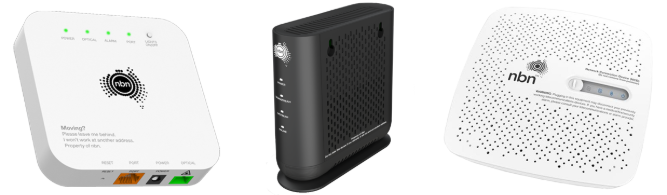
Depending on the technology type at your new address, you may need certain equipment (like an nbn® box) to get connected.
In most cases, the equipment needed for your connection will already be at your new home. If you’d like to double-check, you can always ask your real estate agent.
If the equipment you need is missing, please contact us ASAP and we’ll send a replacement your way.
Step 4: What to take with you
So, you’ve placed your order and you’re now in the process of packing. You might be wondering what internet gear you should take with you. Here’s what need to know:
Pack it
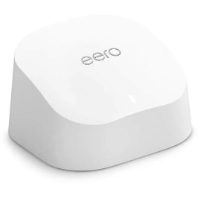
Make sure you take your modem/router and any cables that came with it.
Leave it behind
Any provider equipment will need to stay put. It’s registered to your current address and won’t work at your new one. If in doubt, leave it behind if:
- It has an nbn®, Opticomm, Redtrain, ASN, Lynham or Frontier logo on it
- It was there when you moved in
- It’s bolted to the wall
Step 5: Set up, connect and enjoy
As soon as your internet is active at your new address, we’ll send you an SMS and email to let you know.
To get online, simply follow the setup instructions in your activation email or that came with your modem.
Now, sit back, relax and enjoy your rock-solid internet connection at your new home!
We’re here to help
Want to know more about moving home with Leaptel? Contact us and our friendly team will lend a hand.